Thinks first, briefly
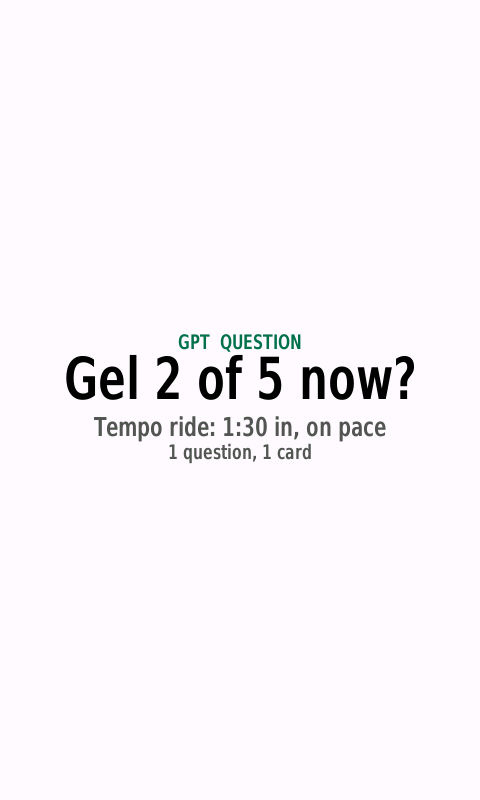
Claude decides how much to reason before it answers: a line for “Rain at 6?”, a proper look at your plan, recovery and calendar for “Should I train hard today?”. Replies still fit a glance.
For Garmin watches and Edge bike computers
Train hard, work hard.
Ask Claude from your Garmin watch or Edge.
Claude on your wrist: a training companion that thinks your day through. Today’s session on your Garmin, a debrief of what actually happened, next week adjusted with you, and the standing instructions you give it, followed every time. Pair your watch, add your Anthropic API key, and ask from your wrist.
by falkster
Training companion
Your plan, the session on your Garmin, what actually happened, and the next step: one loop, adjusted with you, from your wrist.
Tell Claude the plan you follow, or ask it to plan your week. It keeps each session’s day, sport, purpose and duration.
“What’s my workout today?” Send it to your watch, checked first, or shorten it to the time you have.
A debrief from Garmin’s summary, kept apart from how you said it felt, which goes in your training journal.
A weekly review of planned vs done. Claude proposes next week; you confirm each change with a tap.
Claude works from what you tell it and the Garmin data you share. It can’t read your calendar unless you connect it (read-only), so tell it the time you have.
Powered by Claude
A watch gives an assistant a few words and a few seconds. Claude makes them count: it reasons about your day before it answers, follows the instructions you give it, and uses the relay’s tools instead of guessing.
Claude decides how much to reason before it answers: a line for “Rain at 6?”, a proper look at your plan, recovery and calendar for “Should I train hard today?”. Replies still fit a glance.
Up to 50 standing instructions go with every question, and Claude follows them: your zones, your work hours, your own shortcut words. The rules and tools are cached, so a long setup stays cheap.
About 50 tools on the relay: it builds and checks workouts, reads your Garmin data and calendar, keeps your plan and journal, and searches the web, then tells you what it did.
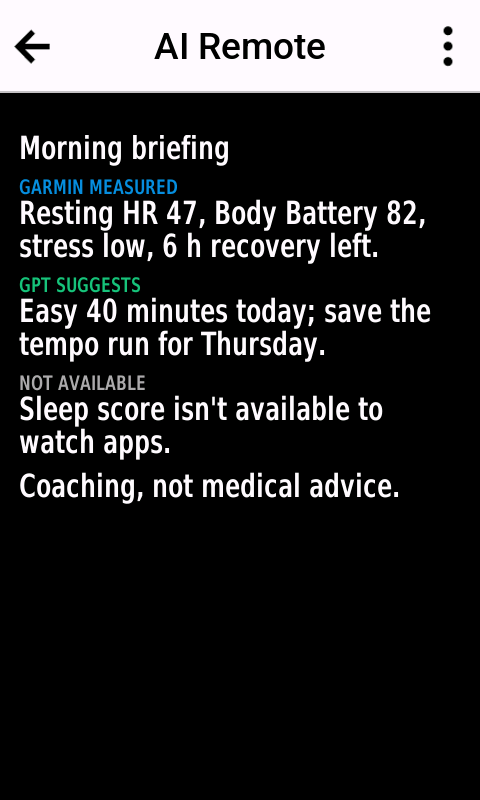
Measured, reported and inferred stay apart on every card, a missing number is said to be missing, and anything that changes your plan or leaves the relay waits for your tap.
Pick your Claude on your settings page: Claude Opus 5.5 · Claude Sonnet 5.5 · Claude Haiku 5.5.
How it works
Nothing to paste into anything. The relay runs Claude for you, with your own Anthropic API key.
Get Agent Remote (watches) or the free Agent Remote for Edge from the Connect IQ Store on your phone, and open it on your device.
The app shows a code. Enter it at agent.falkster.com/pair with an Anthropic API key from console.anthropic.com, and pick a model and any automations.
Speak, type or tap a quick prompt. Claude answers on your watch or Edge, usually in a few seconds. Not sure what to ask? See examples.
Features
Built for a glance between intervals: big type, clear colours, and nothing that buzzes unless you asked for it.
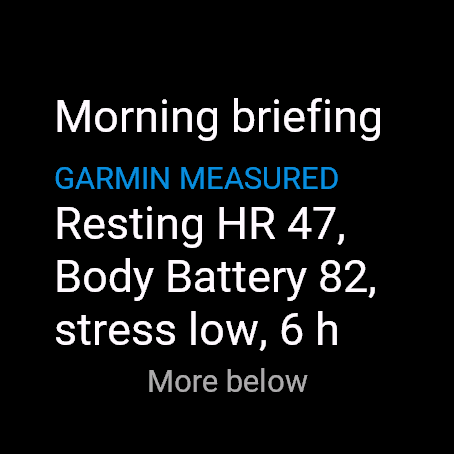
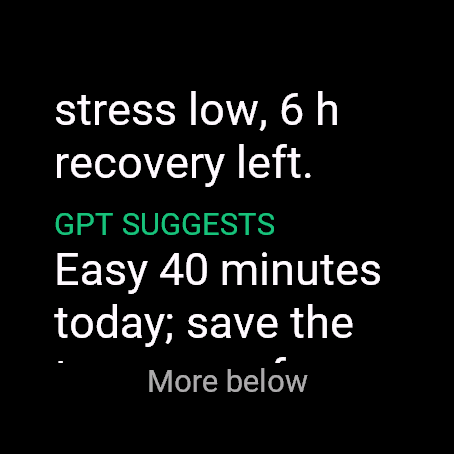
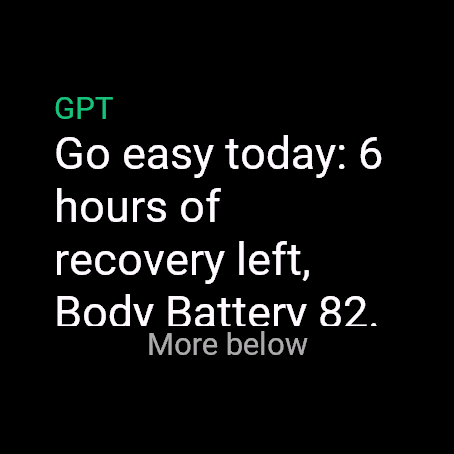
Every card says where each line comes from, so advice never passes for data and how you felt never passes for a measurement.
2,300 m in 58 min. Planned: 2,400 m.
You reported“Legs heavy after travel.”
ClaudeClose to plan. Keep Friday’s swim easy.
Not availablePer-length splits and SWOLF aren’t available to watch apps.
Coaching, not medical advice.
All features, and what each needs →
Make it yours
Give Claude standing instructions in plain words, and it follows them with every question: your zones, your work hours, the meetings that never move, what to do with an idea at kilometre 8, and shortcut words of your own. Up to 50 instructions and 10 automations, changed whenever your life does.
Price
Claude runs on your own Anthropic API key, so Anthropic bills your API account directly, per use. No subscription to us.
$2.99 one-time
From the Connect IQ Store.
Free
Garmin sells no paid apps on Edge, so it’s free there. Agent Remote Face and Agent Remote Ride are free too.
5–15 cents per question
Typical with Claude Opus 5.5, the default; about half with Sonnet 5.5, under a cent with Haiku 5.5. Billed by Anthropic to your API account. Set a monthly spend limit in the Claude Console.
You need an API key from console.anthropic.com, not a Claude subscription: a Claude Pro or Max plan does not include API use.
Screenshots
The same look as your watch’s own screens: teal for Claude, blue for what your watch measured.
Devices
Agent Remote is a Connect IQ app for Garmin devices with Connect IQ 5.1 or newer. You also need the Garmin Connect app on your phone, on iPhone or Android.
Forerunner, fēnix, epix, Enduro, Venu, vívoactive, Instinct (AMOLED), MARQ, D2, Descent and Approach models.
Edge 540, 550, 840, 850, 1040, 1050 and 1060, Edge Explore 2 and 3, and Edge MTB, with the free Agent Remote for Edge.
Typing needs a watch with an on-screen keyboard; quick prompts work everywhere. Glances need a watch with glances. The Connect IQ Store page lists every supported model.
Privacy
No health data leaves your watch until you agree on the watch’s consent screen and share it, category by category.
Vitals for 7 days, activities for 30, conversation for 7. A device that stops checking in is deleted after 180 days.
Your Anthropic API key is encrypted at rest, never shown again, never exported and never logged. Requests go to Anthropic under your own API account.
Each request carries the last day of conversation, your settings, memories and automations. Garmin data goes only when Claude asks for it.
Anthropic’s API terms govern what Anthropic does with your requests. Read the privacy policy
FAQ
No, and it wouldn’t be enough: you need an Anthropic API key, which you create at console.anthropic.com. The API is billed separately from claude.ai plans, per use: typically 5 to 15 cents a question with Claude Opus 5.5, about half with Sonnet 5.5 and under a cent with Haiku 5.5. Set a monthly spend limit there.
Yes, and that’s where Agent Remote gets powerful. Tell Claude standing instructions in plain words (“Remember: when I say brief me, lead with my first meeting”) and it follows them with every question. Up to 50 instructions, 10 scheduled automations and 6 quick prompts of your own, all on your settings page. Ideas to copy.
Garmin watches and Edge bike computers with Connect IQ 5.1 or newer: Forerunner, fēnix, epix, Enduro, Venu, vívoactive, Instinct (AMOLED), MARQ, D2, Descent and Approach watches; Edge 540, 550, 840, 850, 1040, 1050 and 1060, Edge Explore 2 and 3, and Edge MTB. No voice: the Claude API doesn’t take audio, so you type or tap. You also need the Garmin Connect app on your phone.
No. Claude can’t send email or messages to anyone, book, buy or call. Ask anyway and it says so, then offers a reminder, a note or an automation instead. If you add a webhook on your settings page, it can send a note or a workout summary there, only after you tap Send on your watch.
Your calendar, if you connect its secret iCal address on your settings page: read-only, so Claude can fit sessions around your day. Never your email, messages or task apps, and it isn’t connected to your claude.ai account’s memory, projects or chats. If an agent of your own has that access, pair it without a key instead.
To this relay at agent.falkster.com, which keeps it for days, not years, and to Anthropic under your own API account when Claude needs it. Health data is shared only after you agree on the watch, category by category. The privacy policy has the details.
Yes. On the pairing page choose Pair without a key: you get an API token for your device, and any agent that can use an OpenAPI spec connects through the relay’s API. No Anthropic key is stored then.
Yes. On the pairing screen, press Select and choose Try the demo: a scripted demo fills the screens so you can see how it works, with no key. Settings › Leave the demo shows a pairing code.
It’s built not to. In the background the app checks in every 5 to 60 minutes (you choose; Garmin allows nothing shorter) with a small request through your phone. Live updates run only while the app is open. With phone alerts on, Claude’s messages arrive as ordinary phone notifications, so you can pick a long interval and still hear about things quickly.
No. Agent Remote and Claude give coaching and general wellness information, not medical advice. Garmin’s readings are estimates. Talk to a doctor about health concerns, and in an emergency call your local emergency number.
No. It’s an independent app by falkster, not affiliated with or endorsed by Anthropic or Garmin.